
Pyroworks 1.0
Looking for a way to enjoy fireworks without the noise, cost, or safety worries? Pyroworks is a totally free fireworks simulator for Windows that lets you create stunning pyrotechnic shows right from your computer.
- Free
- Windows
- Oct 30, 2026
e1a1422d5d4183150369b054127d5cbf12dd885b1bf704041fdbc07001c60b67Screenshots

About Pyroworks
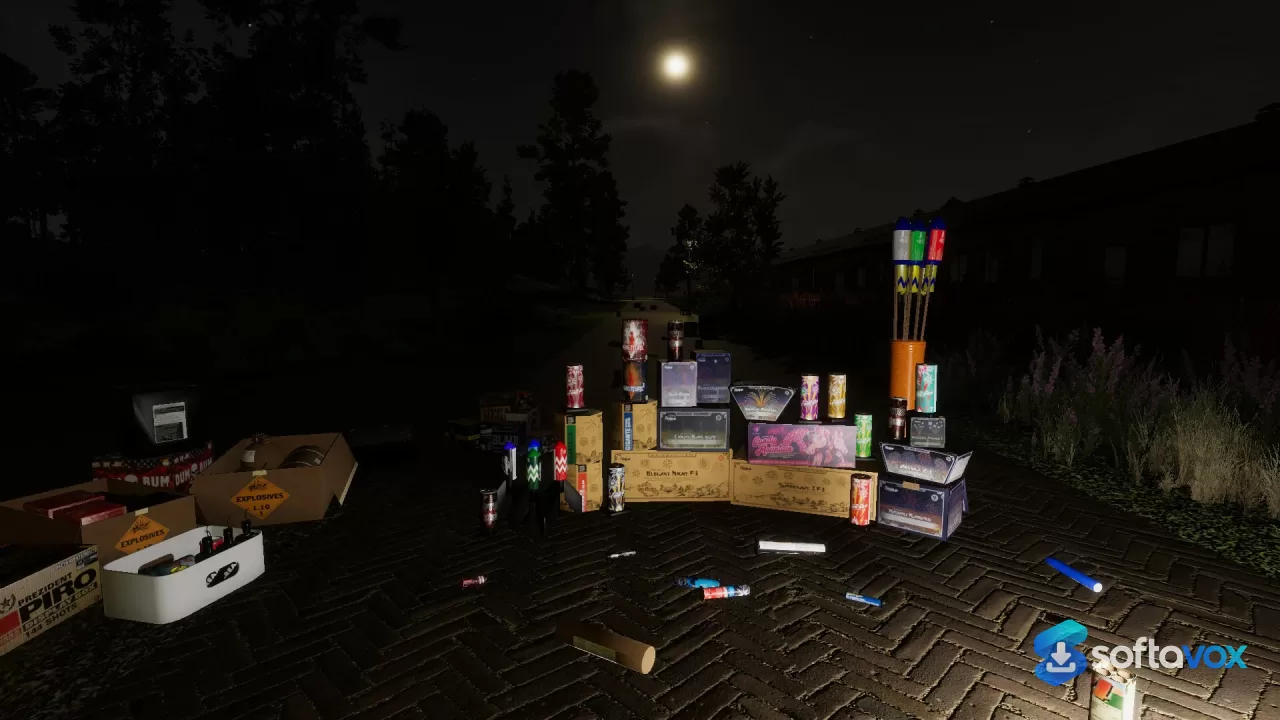
Overall Pyrowork is a simulator for creating fireworks displays. While the concept may seem a little niche, there are many people who want to create their own displays but don’t want to spend a few hundred euros on cardboard tubes and drive out to a field. The simulation uses real products from real manufacturers. Unlike more arcade style firework games, you do not have particles, but you have real cakes that spin or shells that burst into willows or candles that throw out a sequence of coloured stars.
The COBRA system allows you to create your own displays by placing cues, assigning them to channels and then firing them off. If you have ever seen a professional display and wondered how they get all their shells to burst at exactly the right time, this is where the magic happens. Using the firing system and script you can create your own displays. The 1.3.0 update introduced music syncing meaning you can actually script your displays.
The multiplayer aspect means you can load up your save file and fire off your display for other players to see, or download another players save file and see how they created their display. With the map editor and saving system, there is a whole range of content you can create. Players create venues, share sequences and improve on their displays. This creates a growing simulator.
Performance was an issue in the past. If you wanted to create a complex display with lots of effects going on at once it could really struggle on mid range machines. Previous versions of the game were known to be quite heavy. With the 1.3.0 update, the performance has been improved by around double. Saves and loads are much faster and the water effects have been improved. Whilst it won’t run on integrated graphics, the game is much more playable now.
The graphics are another reason why this game has gained a following. The particle effects are very detailed and the lighting reacts to the explosions. The smoke also lingers like real smoke. Whilst it is not realistic, it looks realistic enough that if you time your display well, it looks like you would actually be outside watching it. The sound effects also react to the timing.
The system requirements are pretty honest. The minimum requirements for the game are a Core i7-3770, 8GB RAM and GTX 960. The developers recommend having 16GB RAM for more intense displays. This is a mid range gaming PC from a few years back. If you meet these requirements then the game will run, if not then it will be a bumpy ride no matter what settings you have.
Overall this is not a game with a story or progression. It is a sandbox game with a specific set of tools. The satisfaction comes from creating a working display. If you have ever wanted to create your own display but don’t want to spend money, make a lot of noise or risk setting a field alight then this is the simulator for you.
Key features
- Real firework products, not generic explosions. The simulator models actual products from real manufacturers, from the ignition sequence to the burst pattern and the fade. You are not picking a "blue fountain" from a menu; you are placing specific cakes, shells, and Roman candles that behave the way their real counterparts do.
- A COBRA firing system is built in. Pyroworks includes a COBRA™ 18M firing system, the same kind of controller used in professional displays. You wire up cues, assign them to channels, and fire the show in sequence rather than lighting everything by hand.
- Water reacts to the show. Explosions over water produce splashes and reflections that change with the intensity of the burst. It is a small detail, but it is the kind of thing that makes a show feel like it is happening in a place rather than in a void.
- Multiplayer, with shared saves. You can build a show on your own map and then load it into a multiplayer session, or download someone else's save and fire their show yourself. The game is primarily multiplayer, and the community shares maps and sequences.
- Music synchronisation for choreographed displays. A firing system feature lets you sync cues to a track, so the shells break on the beat instead of on a manual count. It is the difference between a show and a performance.
- Custom maps and a save system. You can install and create new fireworks, maps, and saves. The game does not lock you into a single venue; you build the space you want to fire in and keep it for later.
- A performance update that roughly doubled frame rates. Version 1.3.0 delivered around 2x performance improvements, faster save and load times, improved water splashes, and the music sync feature. If you tried the simulator earlier and found it heavy, the current build is a different experience.
- Modest but real hardware requirements. You need a 64-bit Windows 10 system, an Intel Core i7-3770, 8 GB of RAM, a GeForce GTX 960, DirectX 11, and 6 GB of storage. The developers recommend 16 GB of RAM for complex shows. It is not a light game, but it is not a workstation-class one either.
- Built in Unity. The engine choice is why the particle effects and lighting can be pushed as far as they are, and it is also why the game can run on a mid-range card from the last several years rather than requiring a flagship GPU.
Frequently asked questions about Pyroworks
What is Pyroworks, and is it really free?
Do I need a monster PC to run it?
Can I play with other people, or is it solo only?
Are the fireworks based on real products?
Can I build my own shows and share them?
Where do I get it, and do I need to install anything weird?
Versions
| Version | Release date | Platform | File size | |
|---|---|---|---|---|
| Pyroworks 1.0 Latest version | Oct 30, 2026 | Windows | 317.5 MB | Download |
Comments about Pyroworks
No comments yet. Share your experience with this program!